

Table of Contents
- Why Screen Prints Crack, Fade, and Peel
- How to Wash Screen-Printed Shirts Correctly
- How to Dry Screen-Printed Shirts Without Damage
- How to Fix Cracked Screen Print on Shirts
- Prevent Screen Print Cracking with Proper Care Habits
- Understanding Ink and Fabric Differences
- Frequently Asked Questions
Last Updated: October 21, 2026
Why Screen Prints Crack, Fade, and Peel
Screen-printed designs look sharp when new, but without proper care they crack, fade, and peel within weeks, knowing how to prevent screen print cracking is essential to maintaining their appearance. The causes split into two buckets: what happens on the press and what happens in your laundry room.
Common causes of screen-print damage
Most consumer-side screen-print damage comes from heat, friction, and moisture.
Bleach and fabric softeners attack the ink directly, breaking down the chemical structure that holds it to the garment.
Dryer heat is brutal. High temperatures cause rapid expansion and contraction cycles. The ink cracks under this stress.
How ink cure affects durability
Durability depends heavily on how well the ink was cured during production. Curing is the process of heating the ink to bond it permanently to the fabric.
Properly cured ink bonds at the molecular level and becomes part of the garment. Undercured ink sits on top like a sticker, peels and cracks easily, and no amount of careful washing will save it.
How to verify ink cure
A heat-gun reading alone does not prove the ink film reached cure temperature. The gun measures surface temperature at one spot, often the top of the ink deposit, while the bottom of the ink layer, where adhesion actually happens, may be cooler.
Safer, more reliable checks include:
- Wash test: Print a sample, cure it with your normal settings, and run it through 5-10 home laundry cycles (cold wash, low-heat dry). Inspect for cracking, fading, or edge peeling.
- Stretch test: After the print cools, stretch the fabric firmly across the print. Cured plastisol should stretch with the garment without webbing or flaking. If the ink cracks or lifts at the edges, cure is suspect.
- Rub test: Rub the print firmly with a dry cotton pad or white cloth. Color transfer suggests under-cure, especially with plastisol.
- Temperature strip or probe placement: If you use a heat gun, also place a temperature probe or heat-sensitive strip at the ink-fabric interface on a test piece, not just on top of the ink.
Production factors that cause cracking
Cure is the biggest lever, but several press-side factors make prints crack even when the cure looks fine:
- Ink deposit too thin: A thin deposit cures through quickly but lacks the film strength to flex with the fabric, so it cracks at stress points.
- Ink deposit too thick: A heavy deposit may cure on the surface while the underside stays undercured. Thick plastisol also feels stiff and cracks when folded.
- Mesh count mismatch: Too coarse a mesh lays down too much ink; too fine a mesh starves the print. Either extreme weakens the ink film.
- Additives: Reducers, retarders, and soft-hand additives can improve printability but may reduce adhesion or cure speed if overused. Follow the manufacturer's ratios.
Ink and fabric differences that affect cracking
Different ink systems fail differently. Water-based inks soak into the fabric and feel soft, but crack if the garment is overstretched or the ink applied too heavily.
Fabric matters just as much. Cotton holds ink better than polyester, and blends are challenging because ink bonds differently to each fiber type.
At IGIT Apparel, we choose quality fabrics and premium inks specifically for durability. Our Unisex Ultra Cotton Tee features 100% cotton construction and taped shoulders for superior print longevity.

For those seeking a softer feel, the Unisex Softstyle T-Shirt combines comfort with durability.
How to Wash Screen-Printed Shirts Correctly
Washing is where most screen-print damage happens, one wrong wash can fade a design permanently. Follow these steps.
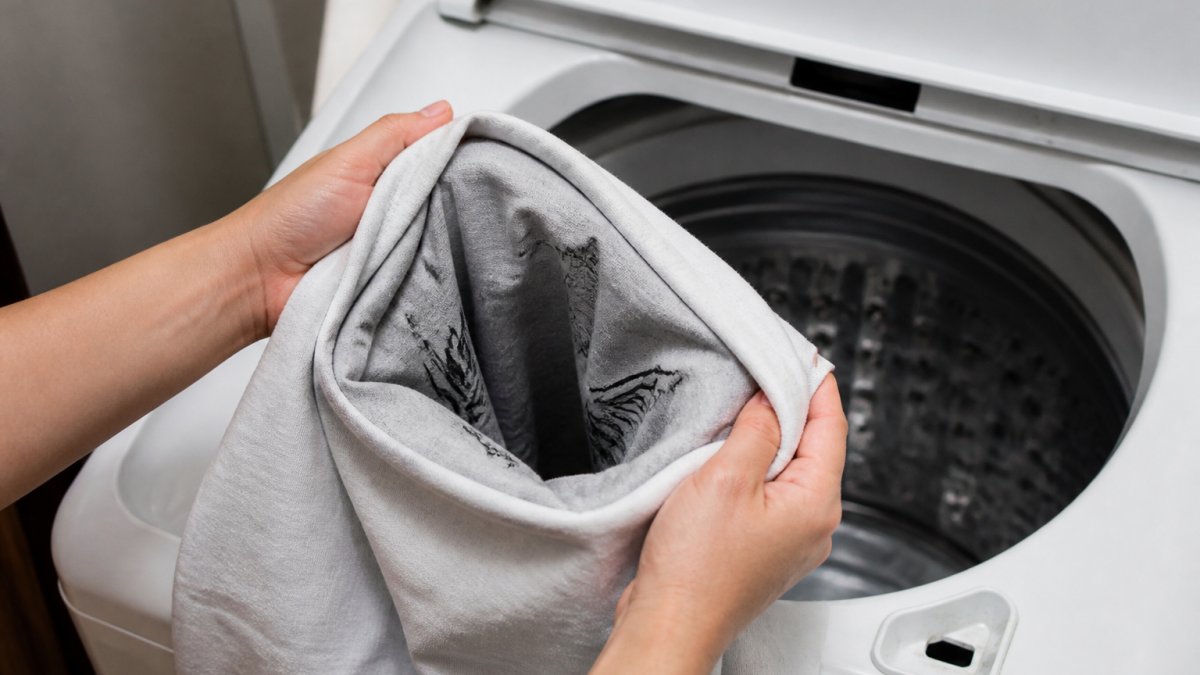
Step 1: Turn shirts inside out before washing
This is the single most important step. Turning the shirt inside out protects the printed design from direct contact with the agitator and other clothes.
The printed side faces inward, away from friction. The plain fabric takes the wear instead. This simple move cuts damage risk in half.
Do this every time you wash. Make it automatic, like checking pockets.
Step 2: Use cold water and mild detergent
Cold water is non-negotiable.
Cold water keeps the ink stable and prevents the cracking and fading hot water causes.
Use a mild detergent designed for delicates. Avoid "color-safe" or "oxygen-based" bleach products. These are still bleach.
Mild detergents include:
- Woolite Delicates
- The Laundress Delicate Wash
- Dreft
- Any detergent labeled "gentle" or "for delicates"
Use half the recommended amount. More detergent doesn't clean better.
Step 3: Avoid bleach and fabric softeners
Bleach destroys screen-printed ink. Even "color-safe" bleach fades prints. Never use it on any screen-printed garment.
Fabric softeners coat the fabric with chemicals, preventing the ink from bonding properly and making the print feel stiff instead of soft.
Skip both entirely. Your prints will last longer.
How to Dry Screen-Printed Shirts Without Damage
Drying is the second most critical step after washing. High heat destroys ink bonds.
Air-drying and hang-drying methods
Air-drying is the safest option. Lay the shirt flat on a clean, dry surface.
Flat-drying prevents stretching. The shirt dries evenly without stress on the fabric.
Hang-drying works for lighter garments. Use a padded hanger to avoid shoulder creases.
Air-drying takes longer, but your prints stay vibrant for years.
When low-heat drying is necessary
Sometimes you need the dryer. Use the lowest heat setting available. Delicate or low heat cycles work best.
Never use high heat. Never overdry. The longer the shirt stays in heat, the more damage the ink sustains.
Tumble-dry damage is cumulative. Each dryer cycle weakens the ink bond slightly.
How to Fix Cracked Screen Print on Shirts
Sometimes damage happens despite your best efforts. Not all cracks can be fixed. But some repairs are possible.
When repair is possible and when it isn't
Small surface cracks can sometimes be concealed, but large sections of peeling ink cannot be repaired.
If the crack is small and the ink still bonded to the fabric, you have options.
Be honest about the damage, attempting a repair on a severely damaged print usually makes it look worse.
Safe repair methods and what to avoid
For small cracks, fabric paint can fill in the gaps. Match the color as closely as possible.
Let the paint dry completely before wearing.
Never use super glue or other adhesives. These damage the fabric and create a stiff, uncomfortable spot.
Never re-print over a cracked design.
Prevent Screen Print Cracking with Proper Care Habits
Beyond washing and drying, small habits protect your prints between wears.
Ironing screen-printed areas safely
Never iron directly on the printed design. The heat and pressure crush the ink and create cracks.
If you must iron, place a thin cloth over the print first. Use low heat.
Better yet, avoid ironing screen-printed shirts altogether. Hang them to dry properly and you won't need to iron.
Storage and handling between wears
Store screen-printed shirts flat or loosely folded. Tight folds create stress points where the ink cracks.
Keep them away from direct sunlight. UV light fades the ink over time.
Handle the shirt gently. Rough handling can crack the ink. Fold it carefully. Don't bunch it up.
Understanding Ink and Fabric Differences
Not all screen-printed shirts are the same. Ink type, fabric, and decoration method all affect how long the print lasts, care advice that works for one print type can damage another.
How ink types change care and durability
Different ink systems have different durability levels and different care needs:
- Plastisol: Thick, opaque, and long-lasting when cured correctly. It sits on top of the fabric, so it can feel stiff and is prone to cracking if the deposit is too heavy or the cure is incomplete. Plastisol generally tolerates cold washing and low-heat drying well, but high dryer heat accelerates cracking.
- Water-based: Softer and more breathable because the ink soaks into the fabric. It can fade faster with repeated washing and may crack if the garment is overstretched. Cold water and mild detergent are especially important here.
- Discharge: Removes the garment dye and replaces it with pigment, so the print becomes part of the fabric. It feels soft and tends to fade rather than crack, but it only works on certain cotton fabrics and is not suitable for polyester or many blends.
A practical rule: the softer and more breathable the print, the more it benefits from cold water, inside-out washing, and air-drying. The thicker and more plastisol-like the print, the more it benefits from avoiding high dryer heat and heavy folding at the print.
How fabric type changes care
Cotton holds ink better than polyester. Blended fabrics create challenges because ink bonds differently to each fiber type, and polyester can require lower cure temperatures to avoid dye migration, which makes under-cure more likely if the printer does not adjust. Heavier fabrics support screen-printed designs better than lightweight fabrics because the weight distributes stress more evenly.
For care, this means:
- 100% cotton: Most forgiving. Cold wash, inside out, low-heat or air-dry.
- Cotton/poly blends: Watch dryer heat closely; high heat can stress the ink-fabric bond and cause cracking at flex points.
- 100% polyester and performance fabrics: Use the lowest dryer setting or air-dry, and avoid fabric softener, which can coat the fibers and interfere with the print.
Care instructions by decoration method
Screen printing is not the only decoration method, and care advice does not transfer perfectly:
- Screen printing: Cold wash, inside out, mild detergent, no bleach or fabric softener, low-heat or air-dry, never iron directly on the print.
- Heat-transfer vinyl (HTV): Generally more heat-sensitive than screen printing. Avoid high dryer heat and never iron directly on the vinyl; use a pressing cloth and low heat if needed. HTV can peel at the edges if washed in hot water.
- Direct-to-garment (DTG): Often printed on cotton, with a softer hand than plastisol. Cold wash and inside-out washing help, and air-drying is safest because DTG prints can fade with repeated high heat.
- Embroidery: More durable than any print, but high heat can shrink the backing and pucker the fabric. Cold wash and low-heat drying are still good habits.
If unsure what decoration method a shirt uses, check the care label and the retailer's product page. When in doubt, treat it like screen printing: cold, inside out, mild detergent, air-dry.
A quick wash-test for durability expectations
Run a wash test before committing to a care recommendation.
At IGIT Apparel, we choose quality fabrics and premium inks specifically for durability. Our Unisex Ultra Cotton Tee features 100% cotton construction and taped shoulders for superior print longevity.
For those seeking a softer feel, the Unisex Softstyle T-Shirt combines comfort with durability.

Frequently Asked Questions
Should you wash screen-printed shirts inside out?
Yes, always turn screen-printed shirts inside out before washing. This protects the printed design from direct friction against the washing machine drum and other garments. The inside-out method significantly reduces wear on the ink film and helps prevent cracking and fading. Make this your first step in every wash cycle.
Can you put screen-printed shirts in the dryer?
High heat in the dryer accelerates cracking and fading of screen-printed designs. Air-drying or hang-drying is the safest option. If you must use a dryer, use the lowest heat setting or air-dry cycle. Avoid high heat entirely, as it weakens the ink bond to the fabric and causes the print to become brittle and crack over time.
What causes screen prints to crack on shirts?
Screen prints crack due to repeated friction, high heat, harsh detergents, and improper curing during production. Cracking also happens when ink hasn't fully bonded to the fabric or when the print is exposed to excessive abrasion during washing and drying. Cold water, mild detergent, and low-heat drying all help prevent this damage and extend print durability.
How do you fix a cracked screen print on a shirt?
Minor cracks may be stabilized with fabric glue applied carefully to the underside, but full restoration isn't possible once the ink film is damaged. Prevention is far more effective than repair. If cracks are extensive, the print cannot be reliably restored. Focus on proper care, turning shirts inside out, using cold water, mild detergent, and air-drying, to avoid reaching this point.